Instagram just dropped a new feature that lets you link multiple Reels together—perfect for creators who love building series, tutorials, or follow-up content.
Instead of relying on your audience to find “Part 1” in your feed, you can now directly connect related videos, making your content easier to navigate and binge.
How to Link a Reel
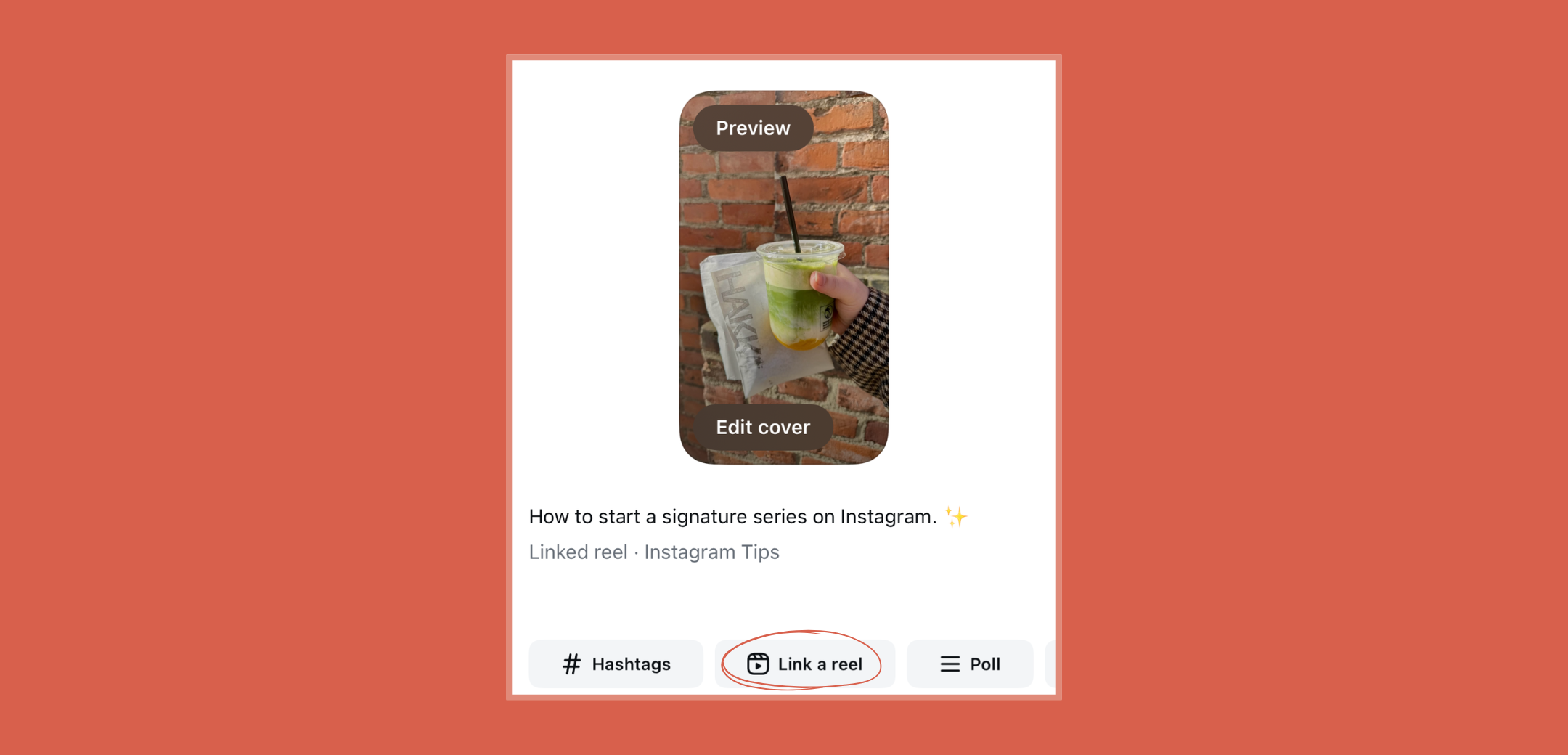
When publishing a new Reel: Tap the “Link a Reel” button below the caption field, then choose which Reel you want to link.
For an already-published Reel: Tap the three dots on the post, open the overflow menu, and select “Link a Reel.”
Pro tip: Add a title to your linked reel so viewers know exactly what they’ll get when they click. You can edit this title—or change/remove the link—anytime.
Creative Ways to Use Linked Reels
Here are a few ideas for how to make the most of this feature:
Tutorial Series – Break down a longer tutorial into bite-sized parts (like Part 1: Prep,Part 2: Application,Part 3: Styling), and link them together.
Before & After Stories – Share a transformation in multiple steps, linking each phase of the journey.
Product Reviews – Connect an unboxing Reel to your full review, or link a “first impressions” video to a “1-month update.”
Event Coverage – If you’re at a conference, festival, or launch, link highlights across multiple days for easy viewing.
Q&A or Follow-Ups – When a Reel sparks lots of questions, post a follow-up Reel with answers and link it back to the original.
Why This Matters
Linked Reels keep your audience engaged longer by creating a seamless viewing experience. Instead of losing viewers between posts, you guide them exactly where you want them to go—whether that’s the next part of a series or deeper into your content library.
sHARE THIS POST!
Your Something is Worth Building
Grow your community and build a thriving business.


.png)
.jpg)


.png)