Last Updated:
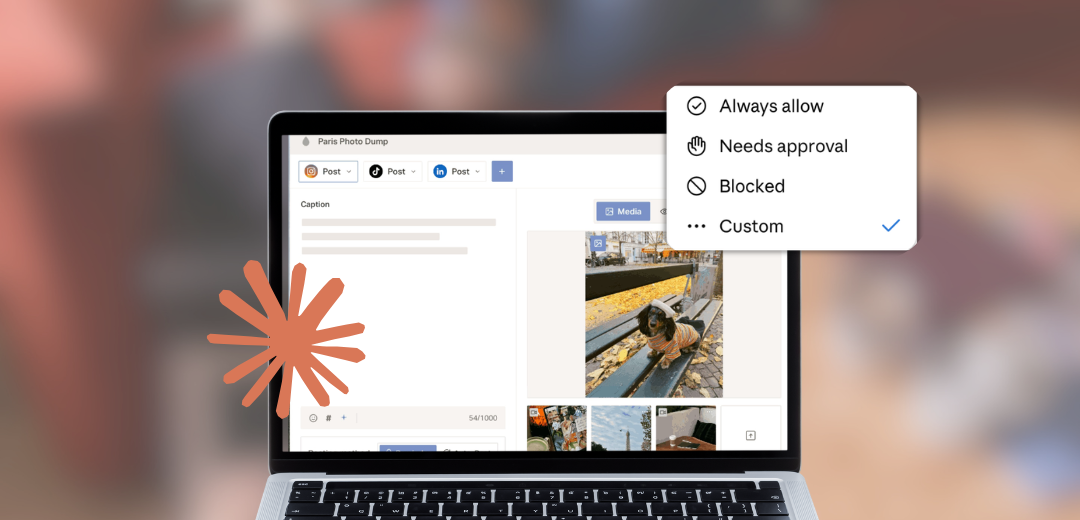
A social media MCP server should ask for exactly two categories of access: read scopes (analytics, post history, calendar visibility) and write scopes (creating, scheduling, and publishing), each granted separately, with write access requiring your confirmation before anything goes live. Anything broader than that, especially the ability to connect or disconnect accounts on its own, is more access than the job requires. Here's the full breakdown of what each scope actually permits. For the connector's complete tool list, see Planoly's MCP hub.
Read access lets an agent check what already exists: performance metrics on past posts, what's currently scheduled, and which channels are connected. A read-only connection can answer questions like "what performed best last month" or "what's on the calendar this week" without any ability to change anything.
Why it matters: a read-only mode is the lowest-risk way to try a connector for the first time, and it's worth asking any vendor whether one exists before granting write access at all.
Write access covers creating a draft, scheduling a post, and, separately, publishing one. Those are three distinct actions, not one bundled permission, and a well-scoped server keeps them distinct. Planoly's connector separates create-and-schedule from publish specifically: an agent can stage as much content as you ask for, but nothing moves to a live channel without your confirmation in Planoly.
Why it matters: collapsing these three into a single "write" permission is exactly what makes a broad grant feel riskier than it needs to be. Separating them is what makes a read-only or draft-only mode possible in the first place.
Connect or disconnect a social account, delete content, or publish without a prior draft or schedule state. None of those should be reachable by a single unconfirmed tool call, on Planoly's connector or on any comparable server. If a tool list you're reviewing exposes any of these without a corresponding confirmation step, treat that as the finding, not a footnote.
Ask the connected assistant to list every tool the server exposes, then sort them into read and write. A trustworthy server's tool descriptions state plainly what each one does; a vague description ("manage your account") is worth pushing on before granting access. This is also worth re-checking periodically, since a server's tool list and descriptions can change after you've already approved it.
For the specific setup steps, Planoly's connector walkthrough covers connecting Claude and reviewing the exposed scopes directly.
Does a social media MCP server need write access to be useful?
Not necessarily at first. A read-only connection already covers analytics review and calendar visibility, which is a reasonable starting point before granting anything more.
Can write access be limited to specific channels?
On Planoly's connector, scheduling and publishing act on the channels you've connected; there's no unattended way for the connector to add a new channel to that list on its own.
What's the difference between scheduling and publishing permission?
Scheduling places a draft on the calendar for later; nothing has reached a live channel yet. Publishing is the separate, confirmation-gated step that actually does.
Should I worry about a free MCP server's permissions more than a paid one's?
Price isn't the signal. Check the actual scope list and confirmation flow regardless of what tier you're on.
How often should I re-check a connector's permissions after approving it?
Periodically, since a server's tool descriptions and scopes can change after the fact. Re-listing the available tools occasionally is a reasonable habit, not a one-time check.